Free forever · runs entirely on your device

One task box. The right AI, every time.

Switchboard reads what you're about to ask, tells you whether Claude or ChatGPT fits better — and which mode, model, and effort level — then copies it over and opens the right place. No account, no server, no lock-in.

Manifest V3 · open permissions, listed below · your data never touches a Switchboard server, because there isn't one.
your task "fix this bug" ROUTE + HANDOFF Claude Code ChatGPT chat
one description, typed once platform · mode · model · effort · connectors opens with the task already pasted in

What it does

Three things, all local

Switchboard is a Manifest V3 extension with no backend. Everything below runs in your browser, using storage that only your device can read.

01

Routes the task

Describe what you're trying to do. Switchboard recommends the platform (Claude or ChatGPT), the mode (chat, Claude Code, Cowork, a design artifact), the model, the effort level, and any connectors worth turning on — then copies your task and opens the destination.

02

Hands off a live thread

Mid-conversation on one platform and want to switch? Switchboard reads the visible thread, condenses it, and hands you a ready-to-paste continuation on the other platform — routing recommendation included.

03

Syncs memory both ways

Pulls what Claude and ChatGPT each know about you, merges it into one canonical file on your device, and re-syncs it any time either side changes — never a one-time import.

Routing, in practice

A recommendation you can see and question

Local keyword rules ship by default and cost nothing. Add your own Anthropic API key in Settings and routing switches to a real model call — still made straight from your browser to Anthropic, never through Switchboard.

refactor the auth middleware in my repo, it's leaking sessions somewhere
platform: Claude mode: Claude Code model: Opus effort: high connectors: github, filesystem

The popup

What you'll actually see

One box, one badge telling you whether the call was local or smart-routed, and a one-click handoff when you're ready to move platforms.
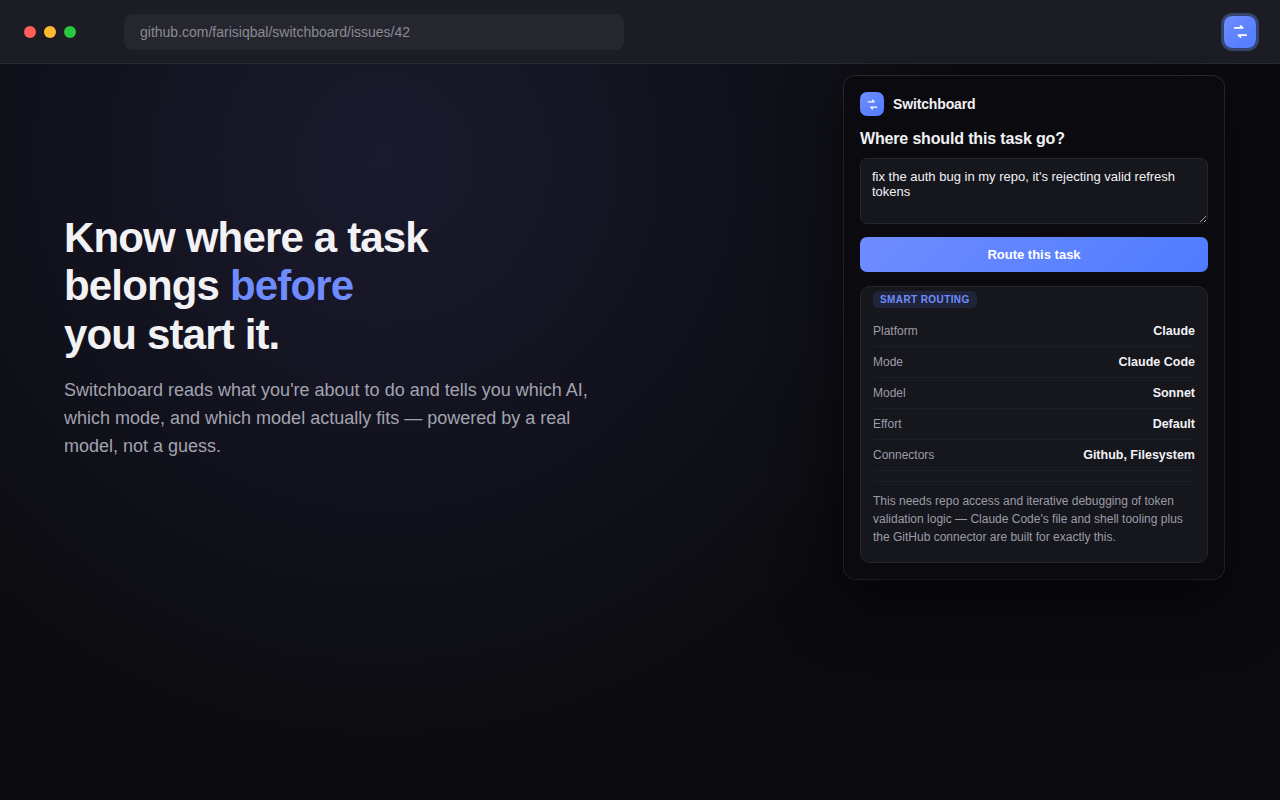
Switchboard popup showing a smart-routed recommendation for a coding task
Routing a task — platform, mode, model, effort, and connectors in one card.
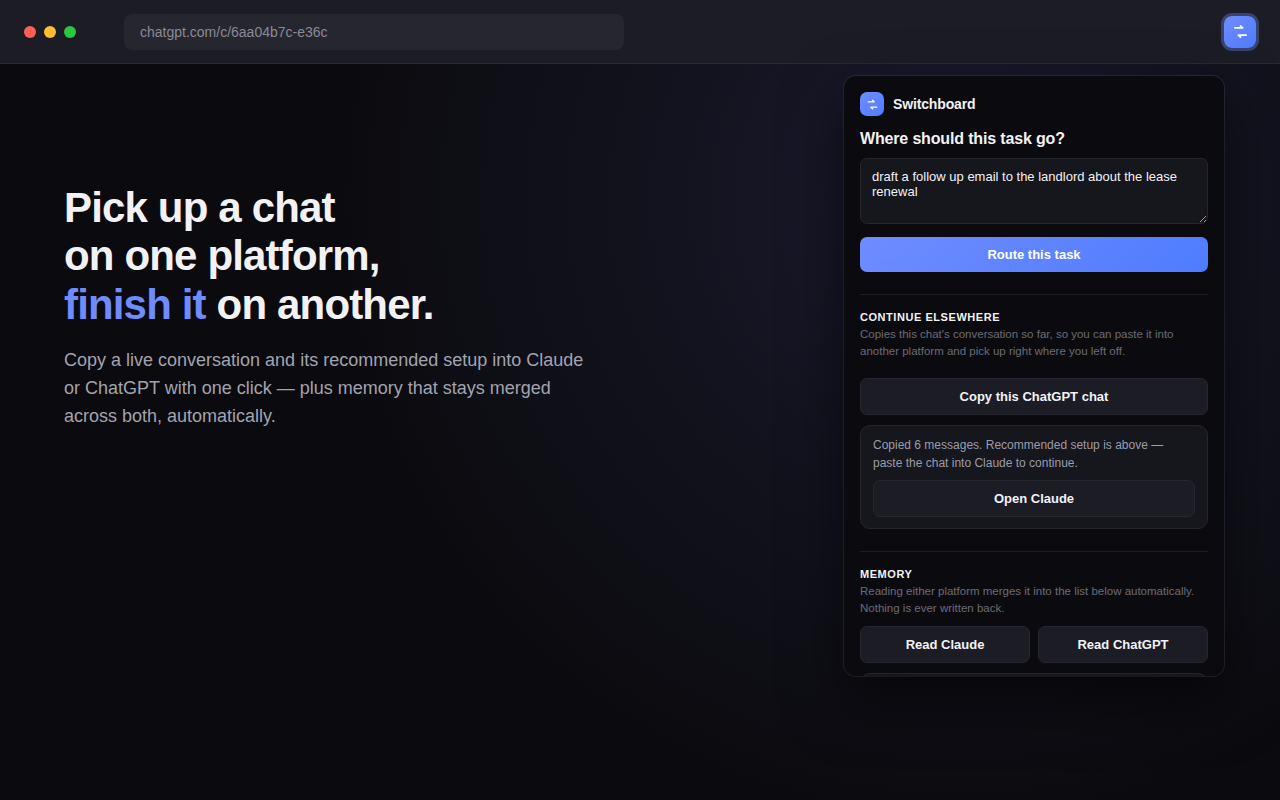
Switchboard popup showing a completed handoff with an Open button and the merged memory section
Handoff to another platform, with the task already on your clipboard.

Privacy policy

Nothing leaves your device unless you send it

Switchboard has no backend, no analytics, and no account. This page is the entire policy — last updated September 24, 2026.

PermissionWhat it's for
storage Saves your routing history, merged memory file, and — only if you add one — your Anthropic API key, all in chrome.storage.local on your own device. Switchboard has no server, so nothing here can be sent anywhere by us.
activeTab Lets the popup read the page you're on only when you open it, so Switchboard can tell you're on Claude or ChatGPT and pull conversation text for a handoff or memory sync.
clipboardWrite Copies your task description or handoff text to your clipboard so you can paste it into the destination platform. Switchboard never reads your clipboard.
claude.ai / chatgpt.com Content scripts on these two sites read visible conversation and memory text, only when you trigger a sync or handoff — never in the background, never on any other site.
api.anthropic.com Used only if you opt in to Smart Routing with your own API key. Your task description is sent directly from your browser to Anthropic to classify a routing recommendation. It goes straight to Anthropic under your key — Switchboard never sees or relays it.
Switchboard collects no analytics, no crash reports, and no usage telemetry of any kind, and does not sell or share data because it never has any to begin with. Uninstalling the extension deletes everything it stored, immediately and completely. Questions: open an issue on GitHub.

Get started

Add Switchboard, then never think about it again

Local rule-based routing works the moment you install it. Smart routing is one API key away, whenever you want it.

Add to Chrome — it's free